
Pascal, the AI coach by Pinnacle, works in Slack, Microsoft Teams and Home, its web app. It joins Zoom, Google Meet and Microsoft Teams meetings from Google Calendar or Outlook, and sends feedback after each meeting. HR connectors such as Workday and Lattice add role, level, goals and reviews. Sign in through Okta or Google SSO.
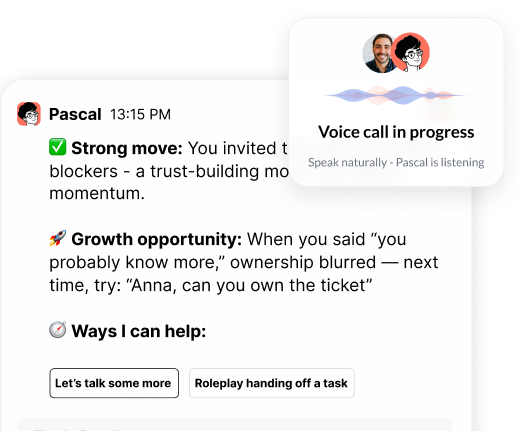
Managers talk to Pascal where they already work. In Slack they can chat by voice or text and get feedback after meetings or as a daily or weekly roundup. Pascal is native in Teams for chat. Voice-to-voice conversations happen in Home, Pascal's web app.
Pascal joins automatically from Google Calendar or Outlook. A company can have it join every meeting by default or only the meetings people select in Home. It introduces itself, explains how to remove it, and sends feedback after the meeting. People can also chat with it during the meeting. In Zoom that chat is private. This is Live Mode, and Pascal never posts to the group chat. In Teams meetings, Pascal appears as a participant.
Pascal follows updated invites. For a last-minute meeting, add pascal@heypinnacle.com as an attendee and it joins.
HR and Workday connectors are live, and Lattice is supported. Pascal can pull role, level, performance review, development plan and goals, so its coaching starts with the right context. Pascal reads from your HR system, and Workday stays your system of record. Other tools work through uploads or custom exports.
Companies can upload values, competency frameworks, culture documents and policies so coaching reflects how they work. Team assessments such as DISC are added as document uploads.
When a coaching moment calls for deeper learning, Pascal can send a direct link to a specific course or module in the company's existing learning tool. It connects people to what the company already has.
When Pascal cannot join a meeting, it can coach from transcripts the company already has.
Yes. Pascal works in Slack and Microsoft Teams for chat, and in Home, its web app, for voice-to-voice conversations.
Zoom, Google Meet and Microsoft Teams meetings. It joins from Google Calendar or Outlook and sends feedback after each meeting.
Yes. HR and Workday connectors are live, and Lattice is supported. Pascal can pull role, level, performance review, development plan and goals.
Pascal supports single sign-on through providers such as Okta and Google.
Add pascal@heypinnacle.com to the calendar invite as an attendee.
No. Pascal works in the direct message threads where someone talks with it.

“Thank you for setting the great foundation for my promotion; now I have a plan!"

Curious to see how AI Coaching can 10X the impact and scale of your development initiatives. Book a demo today for: