
AI coaching platforms work when they connect to your existing systems. The right integrations turn coaching into a daily habit instead of another forgotten portal.
This guide covers four integration categories, how they differ from traditional HR software, and what to ask vendors before buying.
Integration means your AI coach connects to systems where work already happens (Slack, Teams, calendars, HR platforms) to pull context and deliver coaching without tool-switching.
Embedded delivery drives adoption. AI coaches in Slack or Teams get used. Portal-only solutions get forgotten. Managers stop logging in within months.
Data connections enable personalization. When your AI coach accesses performance goals, team feedback, and review cycles, it provides specific guidance instead of generic advice. An AI coach that knows you're leading a reorganization, preparing for annual reviews, and onboarding three new employees gives relevant help. One that doesn't becomes useless.
Single sign-on (SSO) reduces friction. Managers access coaching in seconds instead of resetting passwords or waiting for account provisioning.
Traditional HR integrations use batch transfers. Employee data syncs overnight in one direction. These integrations are compliance-focused and predictable.
AI coaching integrations need real-time data streams and two-way communication. The AI coach pulls data (goals, meetings) and writes data back (session notes, progress updates). It processes unstructured data like meeting transcripts and chat conversations, not just structured fields like job titles.
The technical requirements are different. AI coaching needs API access to communication platforms and meeting tools that traditional HR systems never touched. Privacy controls must handle sensitive conversation data. Implementation takes weeks, not overnight syncs.
| Integration Category | Primary Purpose | Key Systems | Impact on Coaching |
|---|---|---|---|
| Communication Platforms | Where coaching lives | Slack, Microsoft Teams | Enables spontaneous coaching in daily workflow |
| Calendar & Meeting Tools | Contextual timing | Outlook, Google Calendar, Zoom, Google Meet | Provides preparation reminders and post-meeting feedback |
| HR & Performance Systems | Personalization | Lattice, Culture Amp, Workday, BambooHR | Aligns coaching with goals and organizational context |
| Knowledge Management | Company-specific guidance | Notion, Google Drive, SharePoint | Ensures coaching reflects company policies and frameworks |
Slack and Microsoft Teams delivery meets managers where they work. The AI coach becomes a persistent presence instead of a separate destination.
Managers ask questions when they arise instead of bookmarking issues for later. This immediacy transforms coaching from occasional planned sessions to frequent spontaneous interactions.
Calendar systems (Outlook, Google Calendar) enable preparation reminders before important meetings. The AI coach prompts managers with context about who they're meeting, recent feedback themes, and suggested talking points.
Video conferencing integrations (Zoom, Google Meet) allow the AI coach to accompany people in their real meetings and provide feedback afterward. Meeting transcription (with consent) enables behavioral insights based on actual communication patterns. The feedback might note that a manager interrupted team members five times during brainstorming or failed to solicit input from quiet participants.
This specificity makes feedback actionable and hard to dismiss.
Core HR data provides employee roles, reporting structures, tenure, and organizational context. This helps the AI coach understand team dynamics. Coaching for someone managing senior engineers with 10+ years of experience differs from guidance for someone managing entry-level employees.
Performance management integration (Lattice, Culture Amp, Workday, BambooHR) aligns coaching with actual goals. When the AI coach knows a manager received feedback about micromanaging, it provides targeted exercises to help them delegate.
Goal tracking connections ensure coaching reinforces specific objectives and development plans.
Policy documentation integration ensures the AI coach references company handbooks, leadership frameworks, and cultural guidelines. This prevents suggesting approaches that violate company policy.
Career frameworks include role definitions, competency models, and promotion criteria. Custom knowledge bases (Notion, Google Drive) ensure the AI coach speaks your company's language.
When your organization uses specific terminology or proprietary frameworks, the AI coach needs access to provide consistent guidance.
Three mistakes kill adoption within weeks.
| Common Mistake | Why It Fails | Best Practice |
|---|---|---|
| Portal-only delivery | Creates friction; managers forget to log in and develop workarounds | Embed coaching in Slack, Teams, or email where managers already work |
| Delaying HR integration | Generic advice without context about goals, team structures, or priorities | Connect HR systems early to enable personalized, relevant guidance |
| Skipping meeting tool integration | Eliminates timely feedback on actual interactions and difficult conversations | Integrate calendar and meeting tools to provide contextual, moment-specific coaching |
Portal-only delivery creates friction. Requiring managers to log into a separate platform means they forget to use it. The problem compounds as managers develop workarounds, making it unlikely they'll return even if they initially found value.
Delaying HR integration means generic advice. Without context about performance goals, team structures, and organizational priorities, the AI coach can't provide relevant guidance. Managers dismiss it as unhelpful.
Skipping meeting tool integration eliminates the most valuable coaching moments. Without calendar data and meeting context, the AI coach can't provide timely feedback on actual interactions. Managers need feedback on the difficult conversation they just had, not abstract principles about communication.
Ask vendors for specific technical details about their API architecture, data flow, and implementation timeline. Request customer references who can discuss the actual integration experience.
Ask about native integrations versus third-party connectors. Native integrations (built directly by the vendor) offer deeper functionality and more reliable performance. Third-party connectors through platforms like Zapier work but often lack depth. Native integrations receive updates directly from the vendor. Third-party connectors may break when either platform updates its API.
Request the integration roadmap. Which systems are available today versus planned for the future? How long does implementation take? What IT resources are required? Some integrations activate with a few clicks. Others require custom API work and weeks of configuration.
Understand data flow and privacy controls. How does data move between systems? What privacy safeguards exist? Is customer data used to train AI models? These questions matter when dealing with performance data, meeting transcripts, and private conversations.
Test the actual user experience. Don't rely on demos. Ask to see how the integration works in practice. How many clicks does it take to access coaching? Does it feel embedded or does it require context-switching? Request a trial period where your managers test the integration in daily workflows before committing.
Your starting point depends on your current systems and company size.
If you're under 100 employees: Start with communication platform integration (Slack or Teams). Add calendar integration next. HR system integration can wait until you have formal performance management processes.
If you're 100-500 employees with an HR system: Prioritize HR system integration first to pull performance data and organizational structure. Add communication platform integration second. Calendar and meeting tools third.
If you're 500+ employees with mature HR tech: Implement all four categories simultaneously. You have the IT resources and the integration complexity justifies the investment. Start with HR and communication platforms in month one. Add calendar and meeting tools in month two. Knowledge management in month three.
If you use Google Workspace: Prioritize Google Calendar, Google Meet, and Google Drive integrations. Add Slack or email as your communication channel.
If you use Microsoft 365: Prioritize Outlook, Teams, and SharePoint integrations.
Three capabilities will separate leading platforms from lagging ones.
Agentic AI will move beyond advice to action. AI coaches will schedule follow-ups, draft feedback, and update performance records. Instead of suggesting a manager schedule a follow-up conversation, the AI coach will propose times, draft a meeting invitation, and add it to both calendars with one confirmation.
Voice integration will enable hands-free coaching during commutes or between meetings. Managers will have natural conversations with their AI coach instead of typing questions.
Cross-platform memory will maintain context regardless of whether the manager is in Slack, Teams, email, or a meeting. The AI coach will remember previous conversations and provide continuity across all touchpoints. The "difficult team member" mentioned in Slack last week is the same person discussed in today's email.
• Integration strategy determines adoption rates. Embedded delivery in Slack, Teams, and Zoom eliminates the friction that kills portal-only solutions.
• Four integration layers are essential: communication platforms (where coaching happens), calendar and meeting tools (for timing), HR and performance systems (for personalization), and knowledge management (for company-specific guidance).
• AI coaching integrations differ from traditional HR integrations by requiring real-time behavioral data and two-way communication, not just periodic data syncs.
• Start with communication platform integration if you're under 100 employees. Start with HR system integration if you're 100-500 employees. Implement all four categories simultaneously if you're 500+ employees.
• Evaluate vendors on native integration depth, implementation timeline, data privacy controls, and actual user experience rather than demo promises.
See how integration depth drives manager effectiveness. Book a demo at heypinnacle.com/demo to explore how AI coaching works inside your existing workflow.
Header photo by Jj Englert on Unsplash

.png)
.webp)
“Thank you for setting the great foundation for my promotion; now I have a plan!"

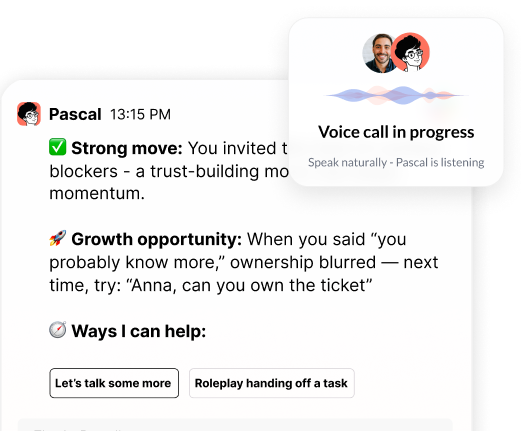
Curious to see how AI Coaching can 10X the impact and scale of your development initiatives. Book a demo today for: