

Pascal is an AI coach for every manager: a leadership companion who accompanies them in their meetings and work, and coaches from what actually happened. Pascal is made by Pinnacle Global, which does business as Pinnacle. He works in Slack, Microsoft Teams and a web app, joins the meetings a manager chooses, and sends coaching feedback shortly after each meeting ends.
This page collects the plain facts about Pascal in one place. Each fact comes from Pinnacle's own product answers and public pages.
Pascal is an AI coach for managers, built by Pinnacle. His category is AI coaching. Every person who uses Pascal gets their own Pascal, and one person's Pascal does not talk to anyone else's Pascal.
Pascal keeps a memory across meetings. He remembers a manager's goals, communication patterns, relationships and the context of earlier conversations. That memory lets his coaching become more personal and more relevant over time.
Pascal is multilingual. People can talk with him in languages such as German and Ukrainian, so a manager can work through a hard moment in their native language.
Pascal coaches the way a sports coach does. Because he shares the manager's working context, he can make a call and say what is likely to work in that situation. Human coaches often ask many questions because they sit outside the manager's day. Pascal already knows the meetings, the people and the goals, so his advice can be direct.
Pascal is for managers at every level of an organization. High quality human coaching is valuable, and it is also expensive and limited in scale, so most companies reserve it for senior leaders. Pascal makes coaching level support available to everyone else in the organization.
Pascal also supports the people teams who run manager development. HR and learning leaders get aggregated, anonymized insight into the themes managers are working on, which helps them see where support is needed across teams.
Pascal can work alongside human coaching. When the person being coached chooses to share their context with a human coach, that coach can work from richer information. Pascal also helps surface blind spots and patterns that may not come up in a monthly session.
Pascal connects to a manager's calendar and joins the meetings the manager chooses. From there, the work follows a simple rhythm.
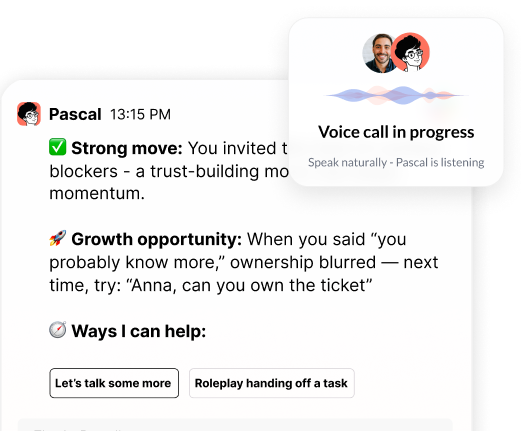
Before a hard conversation, a manager can practice that conversation with Pascal. He plays the other person, drawing on what he already knows about them and the situation, with no script. He stays in character, and then he debriefs the manager on how the practice went. Pascal can role-play by text or voice, and he points the manager to HR when a topic calls for HR.
In Microsoft Teams meetings, private chat is not available, so Pascal sends the manager a personal link to a portal. There the manager can talk with Pascal one on one while the live transcript runs in the background. That conversation uses only the manager's own context.
A team can try Pascal before a full rollout. Pinnacle offers a sandbox with a test team and sample data, and a blank sandbox that only needs Pascal invited to a calendar. Managers can also upload meeting transcripts by hand without any IT integration. Putting an AI into live calls usually needs a security review, so it helps to start that review early.
Pascal works inside the tools managers already use.
Pascal joins Zoom meetings. During the call a manager can message him privately and he will answer. He does not interrupt to coach, and he sends feedback within a few minutes of the meeting ending. Before meetings, his calendar connection helps managers prepare, including practice for a hard conversation.
In Microsoft Teams, managers get daily prep, live chat during a meeting, feedback after the meeting, goals and the coaching itself. Full voice conversations open in the Pinnacle portal with one click and continue the same conversation.
Pinnacle has SOC 2, and our 2026 audit is finishing up.
Individual coaching data stays with the individual. HR sees only aggregated, anonymized patterns. Administrators see engagement measures such as who is active and adoption by level or function. Themes appear only when enough people use Pascal to protect each person's anonymity.
Pinnacle does not train its models on customer data, and no customer data is used to train the models of its LLM providers. Each company's data is isolated from every other company's data, and the data belongs to the customer, who can ask for it to be deleted.
Companies control how long Pascal keeps information. Retention can be set separately for memories, chats, transcripts and uploaded documents. Pascal can delete recordings, and a company that prefers not to store transcripts can keep behavioral insights alone. When a country requires data to stay within its borders, Pinnacle can accommodate that requirement.
People in a meeting stay in control of Pascal.
A coach or partner can see a person's Pascal data only after that person gives explicit consent up front. Security documentation for vendor reviews is available through the Pinnacle Trust Center.
These limits are part of how Pascal is designed.
These public Pinnacle pages go deeper on each topic.

.png)
.webp)
“Thank you for setting the great foundation for my promotion; now I have a plan!"

Curious to see how AI Coaching can 10X the impact and scale of your development initiatives. Book a demo today for: