

A manager's week holds a handful of conversations where coaching would pay off: the tense one-on-one, the planning session, the project review that keeps slipping. Pascal connects to Google Calendar or Outlook and joins the Zoom, Google Meet or Microsoft Teams meetings each person selects in Pascal's Home portal, so the first decision is which of those conversations to bring him into.
Each person knows which conversations in their week would make useful coaching material. A manager might value support in one-on-ones, team planning sessions or difficult project reviews, and those choices vary from person to person. Keeping preferences in each person's hands means the coaching follows the shape of their own week.
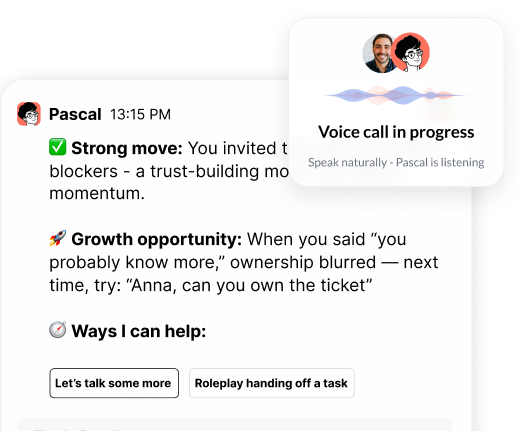
Pascal is an AI coach for every manager: a leadership companion who accompanies them in their meetings and work, and coaches from what actually happened. Because Pascal connects to the calendar, the meetings each person selects in Pascal's Home portal are the ones he joins automatically.
A simple way to start is to review a typical week and mark the meetings where leadership behavior matters most. Regular one-on-ones, team meetings and conversations about priorities are common places where a manager wants to grow. Write down two or three meeting types you would like support with before you adjust any settings. A sample week might bring Pascal into Monday's one-on-one with a new direct report, Thursday's reorg planning and Friday's skip-level, and leave Tuesday's status sync out.
Next, mark the meetings you would rather handle on your own. Routine status updates rarely need a coach, and you leave Pascal out of them simply by not selecting them. When he does join a meeting, he introduces himself and explains how to remove him, so everyone in the room knows he is there.
Revisit the list after a few weeks, since priorities and calendars change over time. A new direct report, a reorganized team or a major project can each shift which meetings deserve attention. When that happens, open Pascal's Home portal and add the new one-on-one or project review before the first one lands.
The same calendar connection lets Pascal reach out before a meeting to help you prepare, and each manager can choose a start-of-day preview of the meetings ahead with prep suggestions. That outreach gives a manager a moment to think about the purpose of the conversation and the outcome they hope for. A few minutes of preparation can make the reflection after the meeting more specific and useful.
When the outreach arrives, start by naming the outcome you want from the meeting in one sentence. Then choose one behavior you want to practice, such as asking a clearer question or summarizing agreements at the end. Keeping the intention small makes it easier to remember once the conversation is underway.
After the meeting, compare what happened with the intention you set during preparation. Note one moment where the behavior showed up and one moment where you would try something different next time. That short record gives your next preparation a concrete place to begin.
Calendar access tells Pascal when a conversation is happening, and HR context such as role, level and goals tells him what that person is working toward. That is why the one-on-ones and planning sessions you pick get coaching tied to your actual goals. How that context reaches him is covered in what an employee coaching tool needs from HRIS.
Each person's coaching conversations with Pascal stay private. HR and executives see aggregated, anonymized insights, and only for groups large enough to protect anonymity.
Put that wording in the note that introduces Pascal to managers. People choose meetings more freely once they have read that line, and the rollout team can field the setup questions that follow.



“Thank you for setting the great foundation for my promotion; now I have a plan!"

Curious to see how AI Coaching can 10X the impact and scale of your development initiatives. Book a demo today for: